Switching from Shopify's Retail Barcode Labels app
Updated September 2026 · 4 minute read
If you are leaving Shopify's Retail Barcode Labels app, you are probably here because of one of three things: the labels stopped matching, printing a batch took too long, or a label did not scan. Here is what merchants wrote about each, and what I do differently in Mastiff Barcode Labels. Two hundred labels a month are free, so you can test it on one sheet before you move anything.
Mastiff is not affiliated with Shopify or with the Retail Barcode Labels app. Quotes below are from public Shopify App Store reviews, shown with their dates. That app may have changed since those reviews were written.
The label size or layout could not be changed
Around 89 of the 359 one-to-three-star reviews say the app locks them into a fixed set of label templates: no custom sizes, and no control over the layout or font.
"almost perfect. would be better if they added more label sizes or let us create our own. some of us use circle labels that are 3 inches..." 3 stars, 2026-05-20
"currency is printing right to left and you can't change the format." 2 stars, 2026-01-24
What Mastiff does: I built presets for Dymo, Brother, Zebra and Avery, plus custom label sizes. Before you print, I show you a preview of one real label at its true size: the one with the longest text.

Printing took too many steps
Around 64 of the 359 one-to-three-star reviews say the printing workflow takes too many steps, often because the print quantity defaults to one label per product and has to be corrected by hand.
"Echoing everyone else- please make the default back to zero without having to click several times. It takes so much more time for our team" 1 star, 2026-05-01
"The default to printing 1 label makes no sense & is really slowing me down." 1 star, 2026-04-09
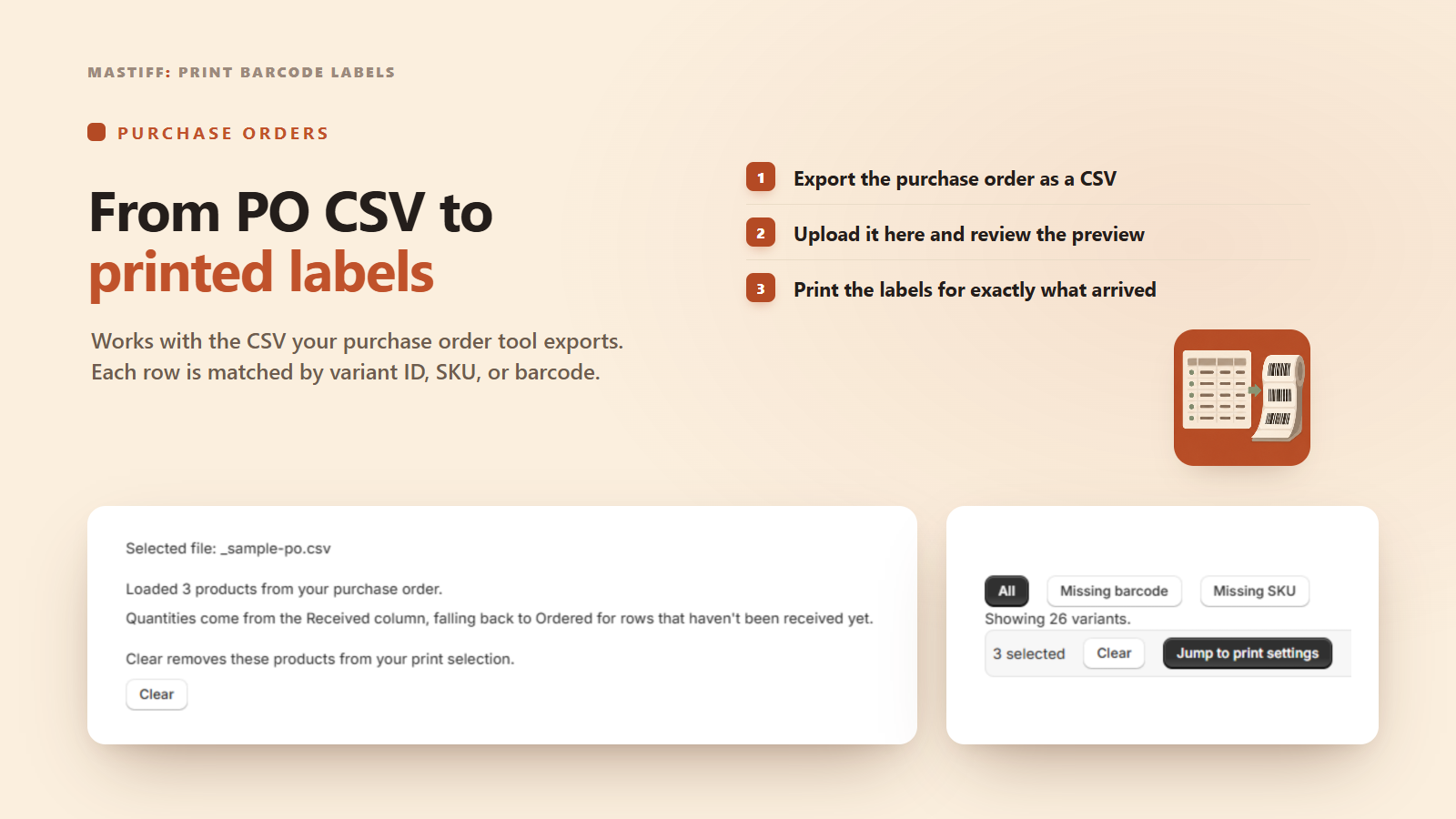
What Mastiff does: I never count previews, test prints or reprints against your plan, so checking a batch does not cost you labels. You can also print from a purchase-order CSV (from Stocky or another tool), which skips the catalog step for a restock. The app finds the SKU, barcode or variant ID column and the quantity column by their headers.
Barcodes had quality or scanning problems
Around 62 of the 359 one-to-three-star reviews say a printed barcode did not show up, printed at the wrong size, or duplicated another product's barcode.
"the new barcodes never show up after you have created them - and i have no idea why they take so long even if the app says they are ready..." 1 star, 2026-06-09
"Since yesterday, all of my labels are printing with a HUGE barcode instead of it being smaller and the wording being bigger. I cannot find a resolution..." 1 star, 2026-04-07
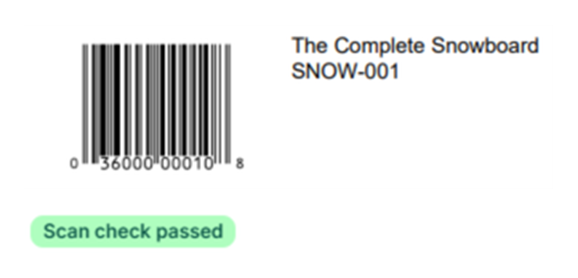
What Mastiff does: Barcodes are generated with valid check digits. The app will not create a barcode that another product already uses, and it flags any duplicate barcodes already in your catalog. Before you print, a barcode reader checks sample labels made from the exact images that go into the PDF: the label you preview, and the label with the longest barcode of each type, at most 5 per batch. If one does not scan, printing stops and you see which one.
Moving over
- Install Mastiff Barcode Labels from the link below.
- Print one calibration sheet on your own label stock.
- Print the real batch.
No data migration is needed: your barcodes and SKUs live on the products in Shopify, not inside either app.
Install Mastiff Barcode Labels
This is the part our app does
Mastiff Barcode Labels
I built Mastiff Barcode Labels to fix these three things directly: presets so a label matches your printer and stock, a scan check on sample labels before it prints, and a purchase-order CSV import so a restock does not mean re-picking products one at a time.
What this page does not claim
- I have not used every version of Shopify's Retail Barcode Labels app, only read what merchants wrote about it.
- Features listed for that app may have changed since the dated reviews above.